


Dan Rabun was my favorite type of client: easygoing and knew what he wanted. Dan was a graphic designer from the days of print media, but he had a problem with his web portfolio and enlisted my services. He wanted something that could better attract other employers in the future, should the need arise. In my interview with him, I found out that his old portfolio wasn’t working properly, and was rather dated in it’s design. We both agreed that it would be easier to start from scratch with a new web service altogether, but it came with a caveat: the new portfolio had to be as easy to use as possible. Dan was a busy man, and didn’t have the time or patience to wrangle a complicated hosting service every time he wanted to update his portfolio.
He wanted a portfolio that was simple in it’s design, as well as it’s usage. As a result, the goals were threefold:
- Make a high-quality, professional portfolio to replace the old one.
- Build it on a platform that is easy to use and maintain
- Use a service that can use his old domain that was purchased externally
The Goals:
1) Build a professional portfolio
2) Use a simple platform
3) Use old domain
After conducting some market research, I identified the hosting service ‘IMCreator’ as the best possible candidate. It didn’t offer much in terms of complexity, but it’s interface was one of the easiest to use. Since the goal was to turn the keys over to Dan at the end of the project, this was the best way to proceed. Plus, it’s use of HTML5 (instead of flash) and SEO tags would help Dan to boost his search engine visibility.
Dan’s goal with his portfolio was the same as everyone else with a graphic portfolio: win job offers. A portfolio has to sell one’s abilities to whomever has a job opening. To better understand the kinds of individuals that look to hire graphic designers, I did some research on the hiring process. I was able to narrow down three general scenarios in which an individual or company needs to hire on a new employee:
Target Audience: Potential employers
- A spot in a company needs to be filled quickly
- A large/growing company has a hiring manager to fill regular openings
- An individual needs a one-time freelancer
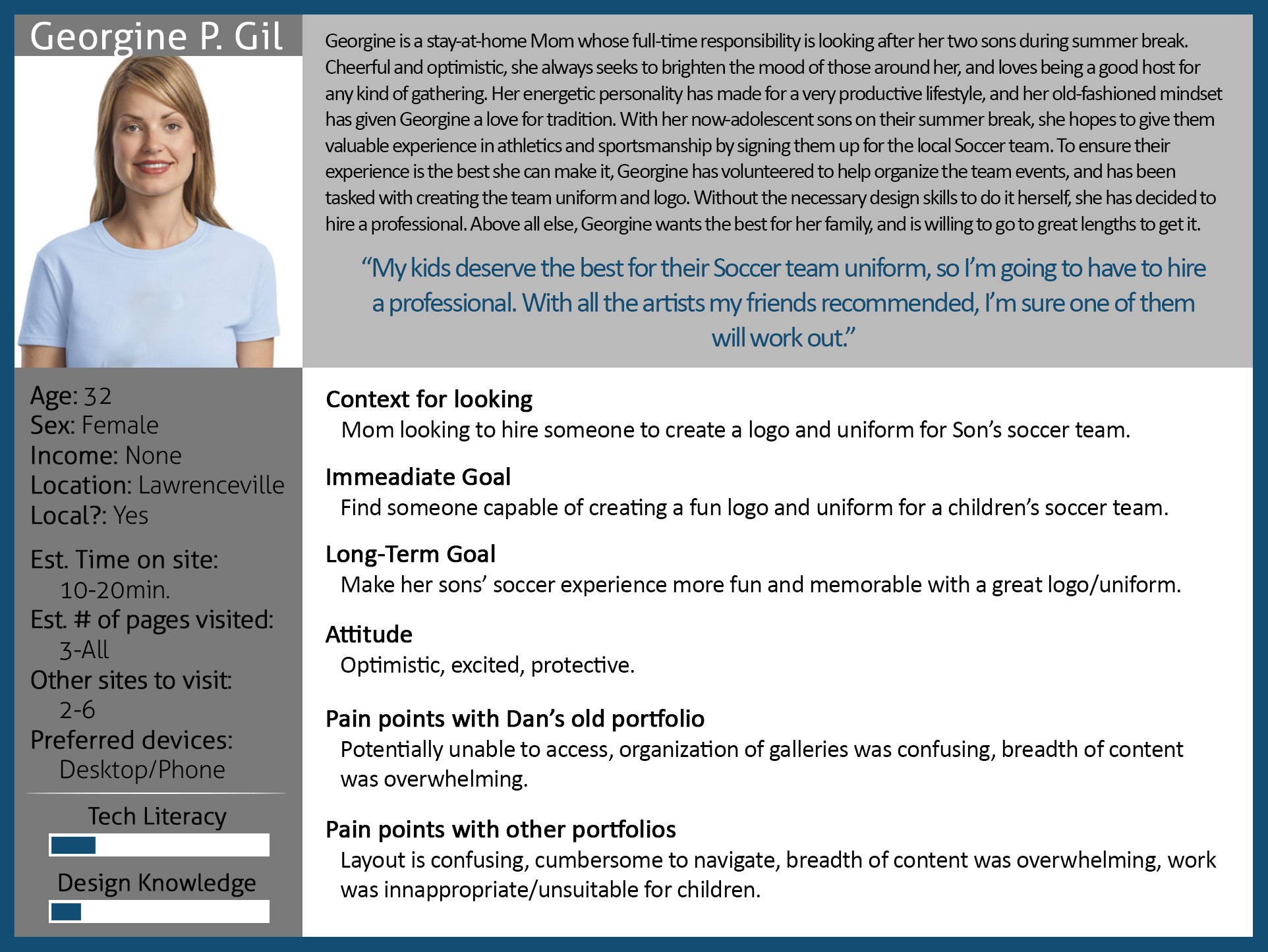
With this in mind, I was able to get to work drafting personas to represent these scenarios. I found it best to use my own choice of metrics for the personas. There isn’t much in the way of persona templates or software to work from, and what is out there is very limiting. I prefer to tailor my work to the project at hand, and avoid one-size-fits-all models wherever possible. I came up with three personas: John, Paul, and Georgine. They measure a variety of different criteria, which can be seen below.
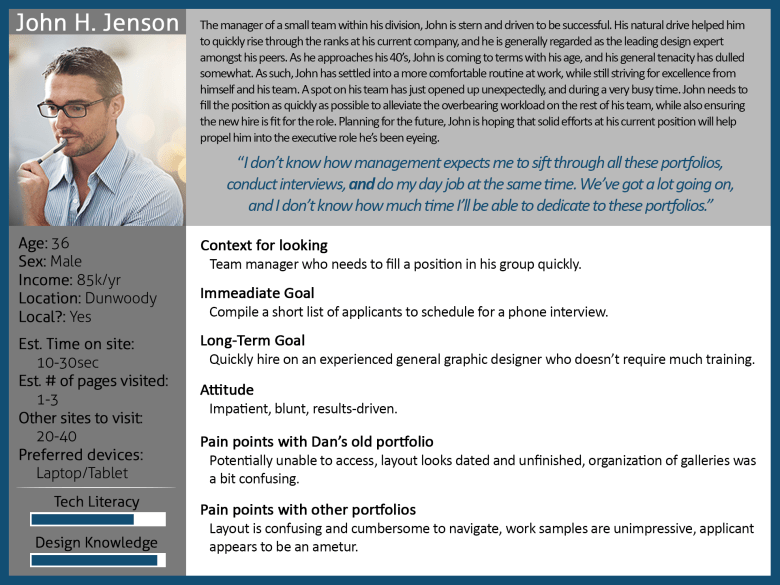
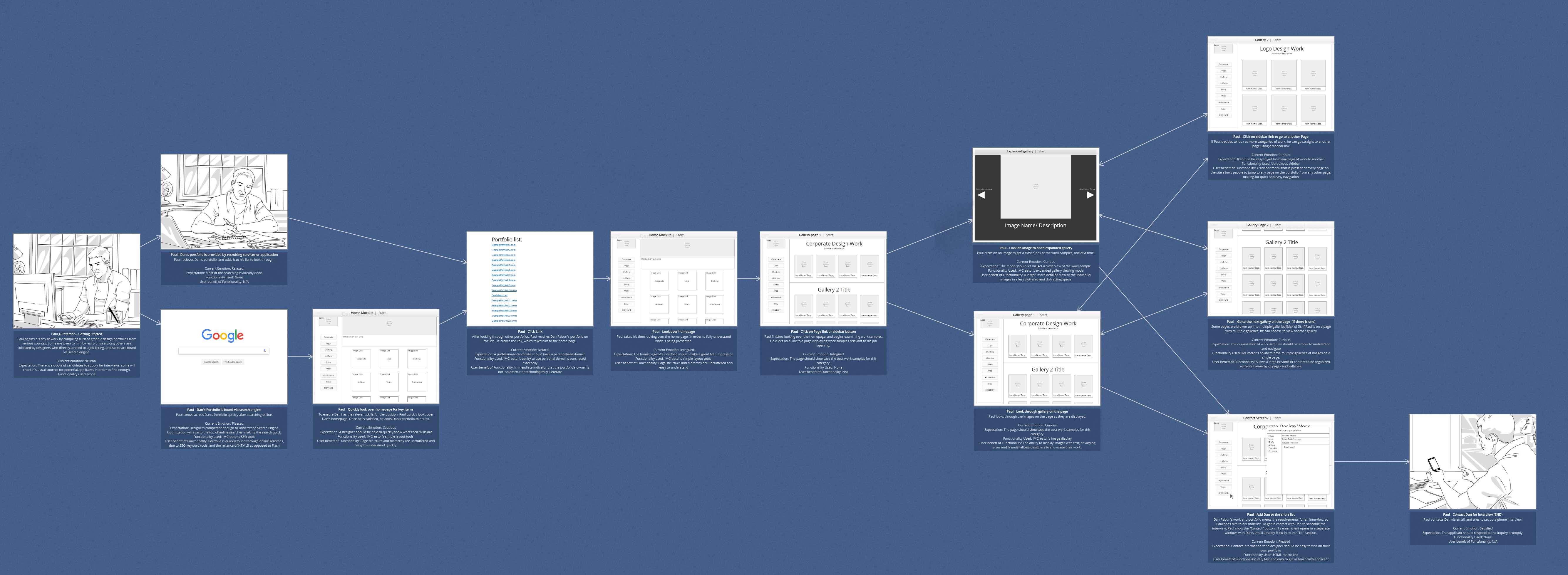
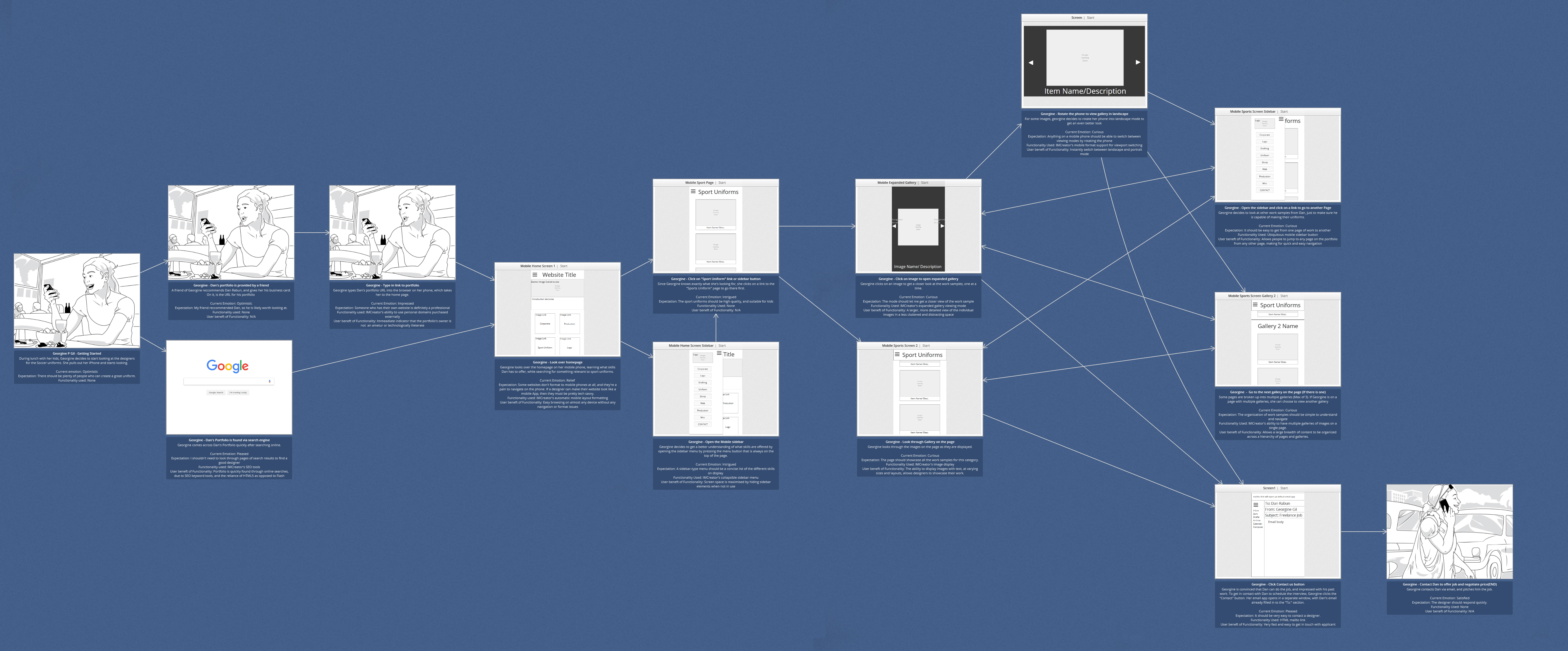
These personas really helped me to understand the target audience better, and made the task of user journeys much easier. While I’m a huge fan of the classic “pencil and paper” toolkit, I decided to use Indigo Studio to build out my user journeys and wireframes. Paul, John, and Georgine each went on a distinct, but at times, similar user journey.
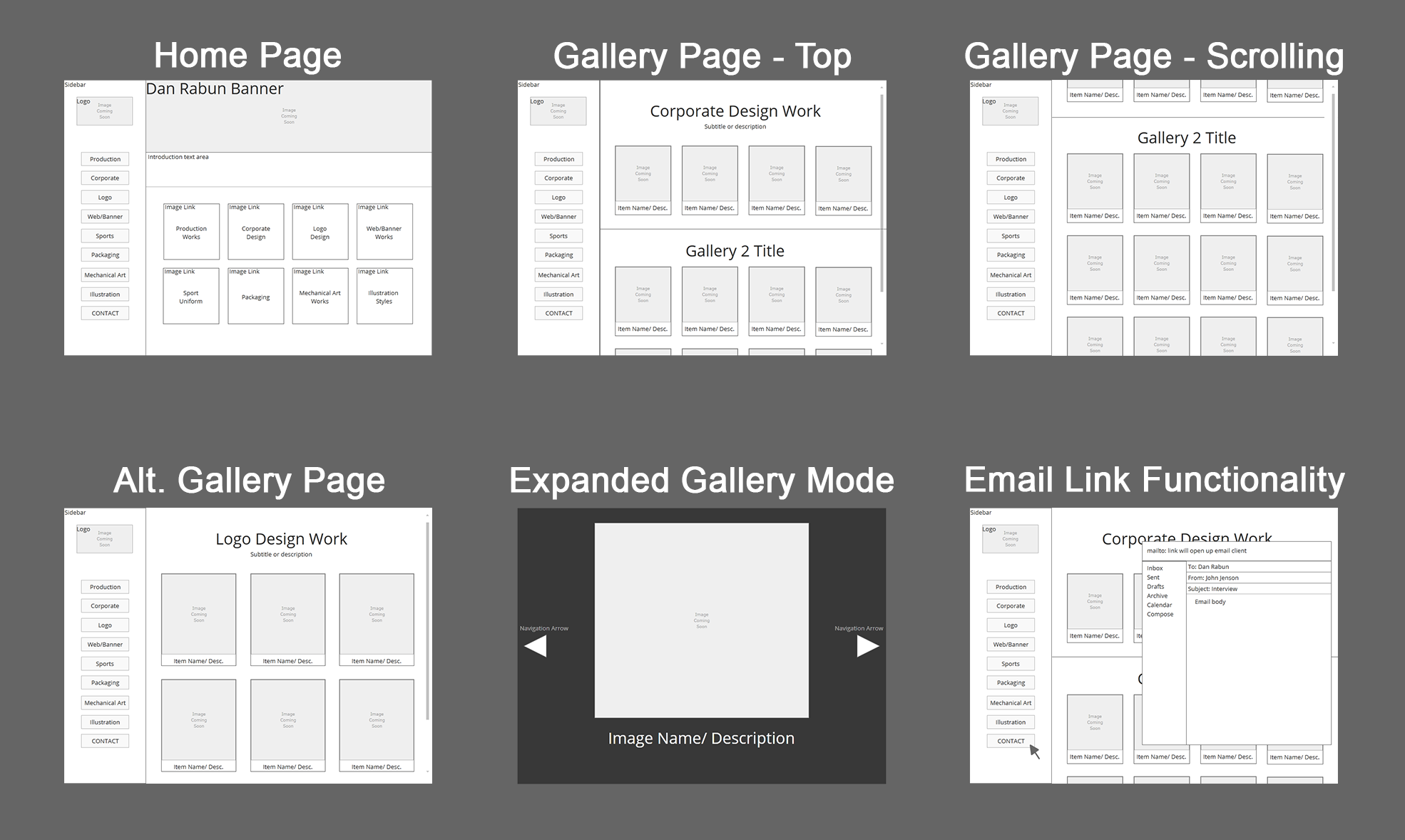
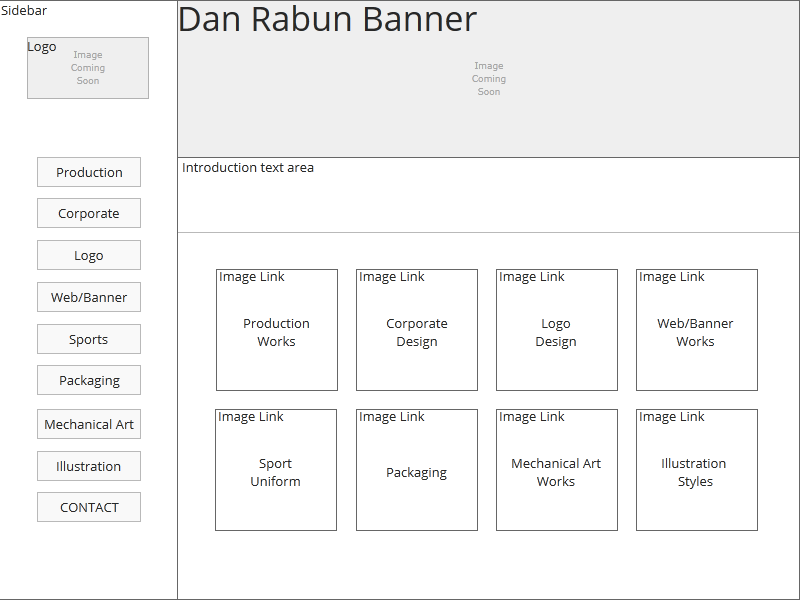
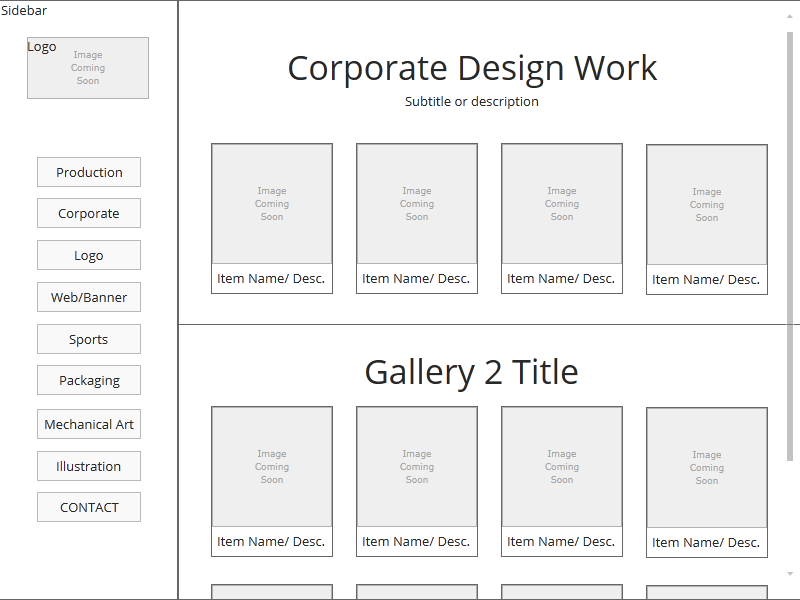
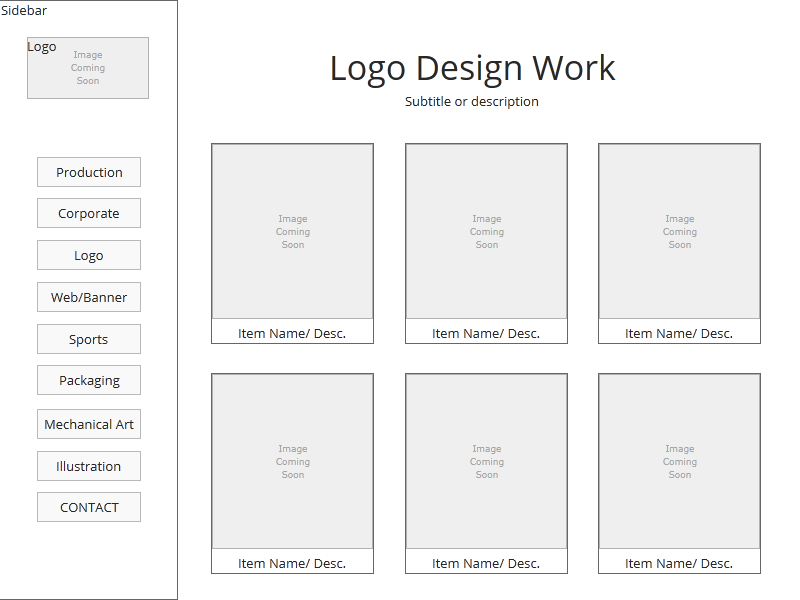
In graphic design, a portfolio essentially acts as a resume, and from my first-hand experience with the hiring process, it’s treated like one. This means most corporate employers have a gratuitous amount of portfolios to look through, and actually spend very little time on the site. They typically spend 1-2 minutes quickly scanning through work samples to determine if the candidate is qualified or not. This meant that the design of the site had to be simple, and facilitate the quick navigation that potential employers will be making use of. This idea would inform my approach to the site design when I built the site map and wireframe. Any page could be reached from any other page, and Dan’s sheer breadth of work would be broken down by a hierarchy of pages and galleries.
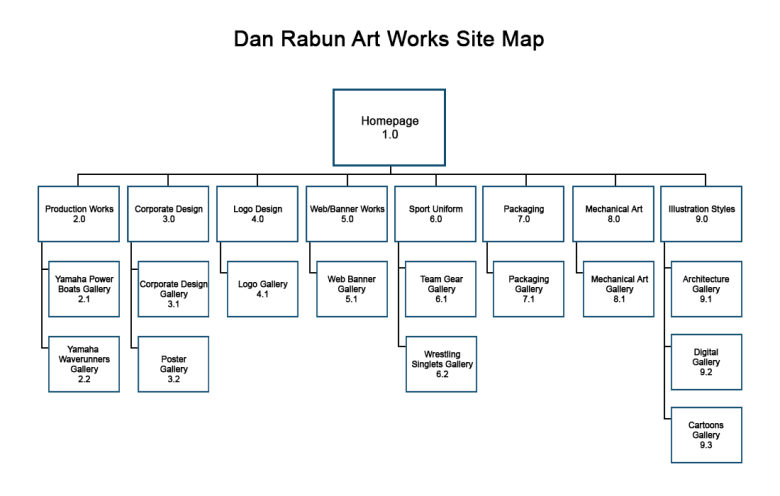
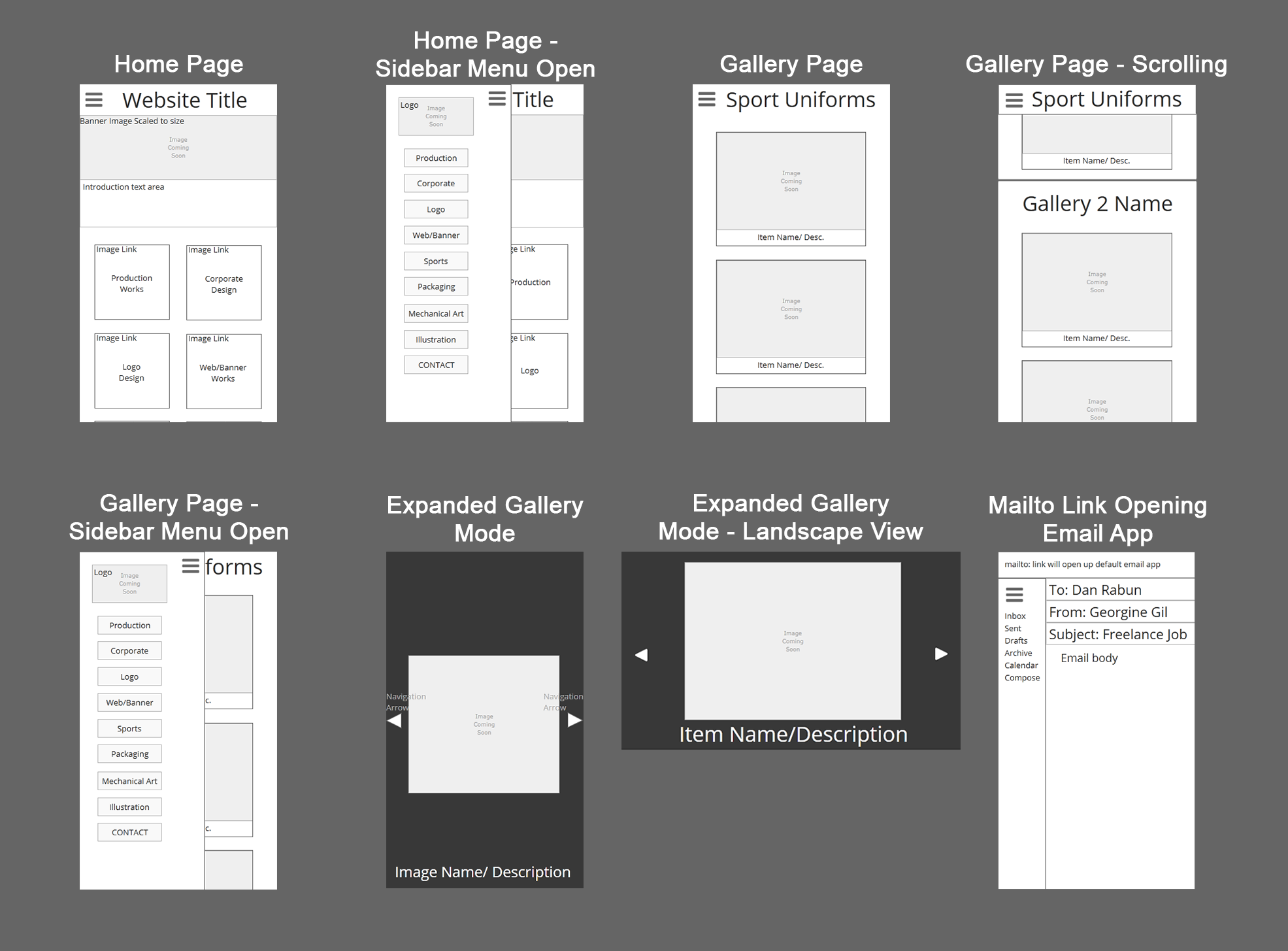
Because the website had a responsive layout, I has to ensure I also kept mobile devices in mind while designing the wireframes. I ended up making two wireframes: One for PC viewing, and one for mobile phones.
With the design pinned down, I built out a prototype, and met with Dan to show it to him. He offered some input, and was very pleased with the state of the site so far. As it stands, I’m nearing completion on the final portfolio. Once I finish collecting feedback from user testing, I’ll be able to put the finishing touches on the site.
 Connor Cobb Design